Can you Change Data Entity on Form Based Application

(Form Base App)
I create a proof of concept app with 5 screens using a test data entity but now I've create a real data entity with about 20 additional fields and I want to tie this too the existing form base application I've already created. I want to remove the test DE and insert the NEW DE in its place and relink all the DE fields to form fields.
Can this be done? I don't see a way to unattach DE and attach another one in its place.
Derek
-
正式评论

Derek,
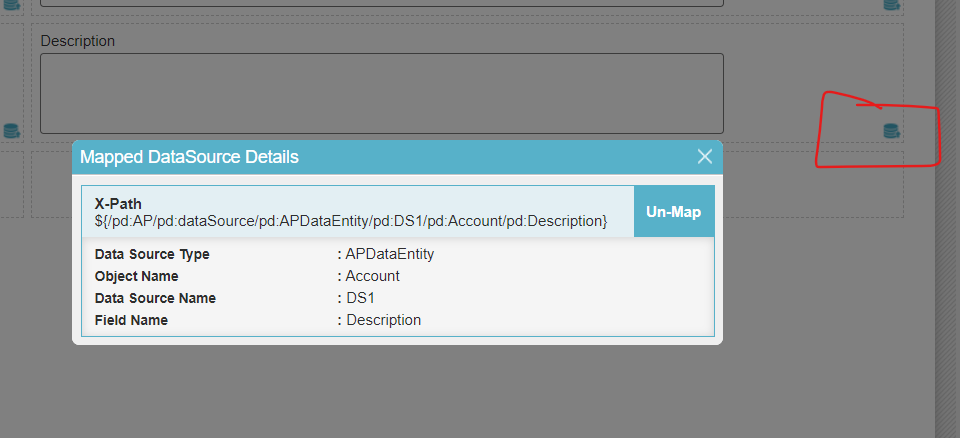
You can use the un-map feature to remove the mapping with test entity and then drag drop the the new Data Entities column on to the un-mapped control.
1. edit form and un-map all columns.
2. Go to Data Source folder and update configuration of Data Source file with new Data Entity.
3. Open form and then remap the column to the Form controls.
Un-Map feature:
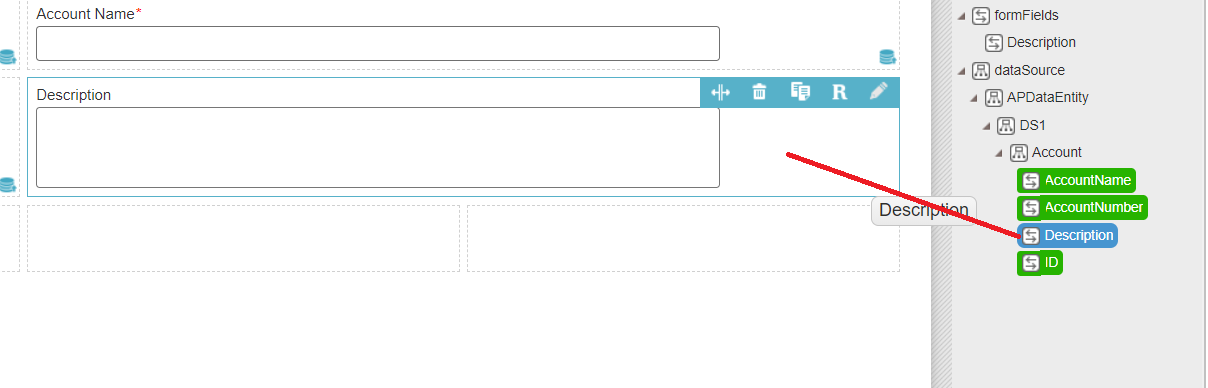
Re-Map existing control to new Data Entity. Drag the column from Data Model window on to the form control and drop it.
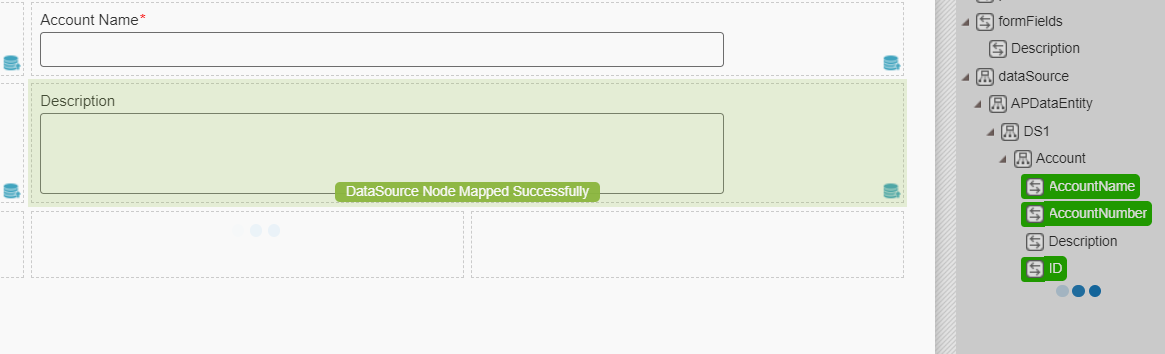
After the new Entity's column is mapped with dropped form control you will see this confirmation message.
Thank you.
AgilePoint NX Support.
评论操作
请先登录再写评论。
评论
1 条评论