Auto populate date field

I am trying to auto-populate date field from SharePoint to AgilePoint form. The date control doesn`t work currently so I am would like to populate a text control. The date format comes back in US format.
Anyone has any suggestion how to change it to UK format?
-

Hi Edit,
Please see the below steps,
We need to change the regional settings to achieve a date format of MM/DD/YY.
Please navigate to Settings - Site Settings - Regional Settings and configure the location.

After changing the regional settings,, the format will be MM/DD/YYYY, we will convert this using a calculated column.
Create a column using the calculated type, and use the below format you'd like to display at runtime:
Syntax: =TEXT(Date1, “DD/MM/YYYY”)

SharePoint List Configuration Window:
 Configure form control, where to auto-populate:
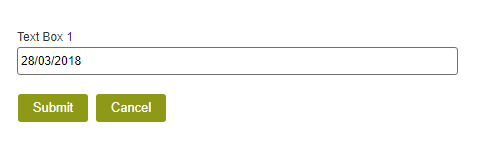
Which gives a runtime value of:
 Lucas
Lucas

请先登录再写评论。
评论
4 条评论