How to filter sections?

I have a use case of petty cash request process with SLA/Delegation of Authority approvals. For instance: less than or equals to $5000 approves by unit mgrs. Higher than $5001 and less than $10,000 approves by dept. mgrs. Higher than 10,001 and less than $25,000 approves by AG etc.) What I would want is - If the unit manager approves the request, Finance team would receive “the request (read only), the unit manager approval section (read only) and their section (enabled), if dept. mgr. approves, it would show the request (read only), dept. mgr. approval (read only) and their section (enabled) etc... Is it possible to filter sections? How do I hide/show sections depending on the DOA approvals? Any other suggestions on how this could be set-up?
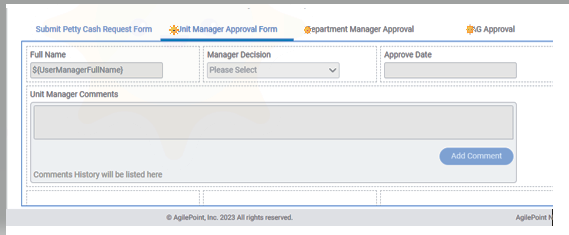
-

I have done this a couple of times. If you have AD groups already setup, have them added to the AgilePoint groups. Then add a hidden group field on the form with the initial value of $Groups. Have all the sections of the form hidden by default. Make rules (on open) that if the hidden group field contains the group name A then enable that section of the form. if it contains group name B then enable another section of the form.
The AD sync should keep the groups up to date nightly - assuming the AD groups are kept up to date.
To create the AgilePoint group - add a group with the EXACT name as the AD group.
请先登录再写评论。
评论
1 条评论