Formula Issue

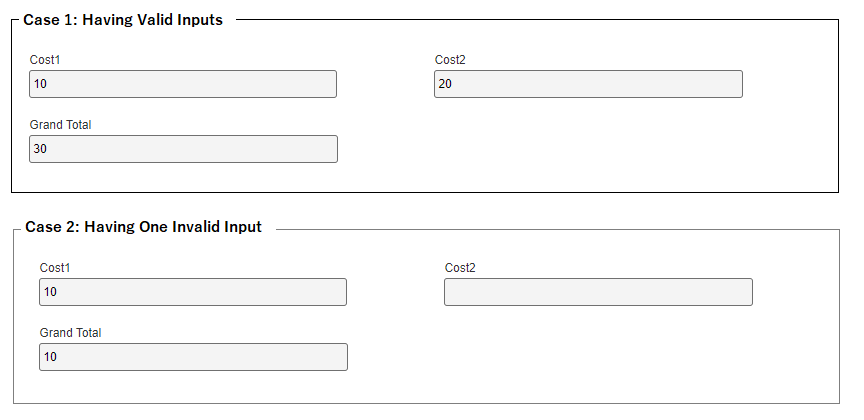
I have an eForm with several cost calculation formulas then a total cost grand total (where all the cost formulas are added together. Not all the formulas will have values (the user is not required to fill in all the number values that are used in the cost formulas).
This all worked fine until we added a cost formula with division in it. So, if the user doesn't populate this set of fields, the formula has NaN (not a number), which I understand. I can also get it where it is blank. However, my grand total won't calculate due to this (NaN or blank).
I've tried passing the division formula result to a number field (with default of 0) using a rule (when the formula has value, then write the result to the number field). This passes the value, but the grand total formula still won't work. The grand total formula seems to work if I add together only the cost formulas (not including the division one), and it works if only number fields are added. But it seems like it will not work if I try to add a number field and a formula field. Is that correct?
Any other thought on how I can get this to work?
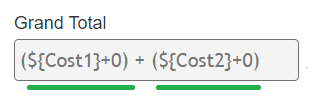
- Is there a way to assign a default value to a formula? If I can set it to zero, then the grand total works.
- I've tried an "if" in the division formula to try to say only do my division calculation if the division value isn't 0, but I can't get the syntax correct for the if (and I can't find any where this is documented).

请先登录再写评论。
评论
1 条评论