List box control

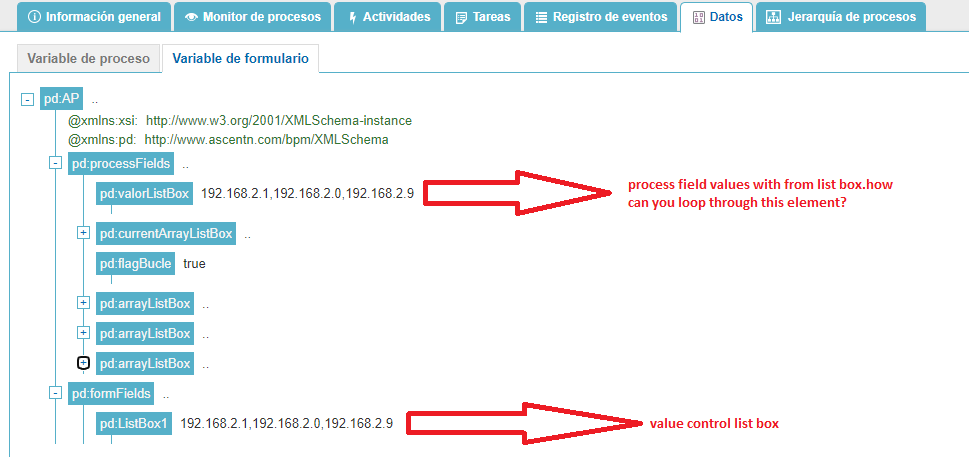
My application has a List box control.
After the submit, I want to be able to loop through each item in the multi-select listbox control.
Is possible?
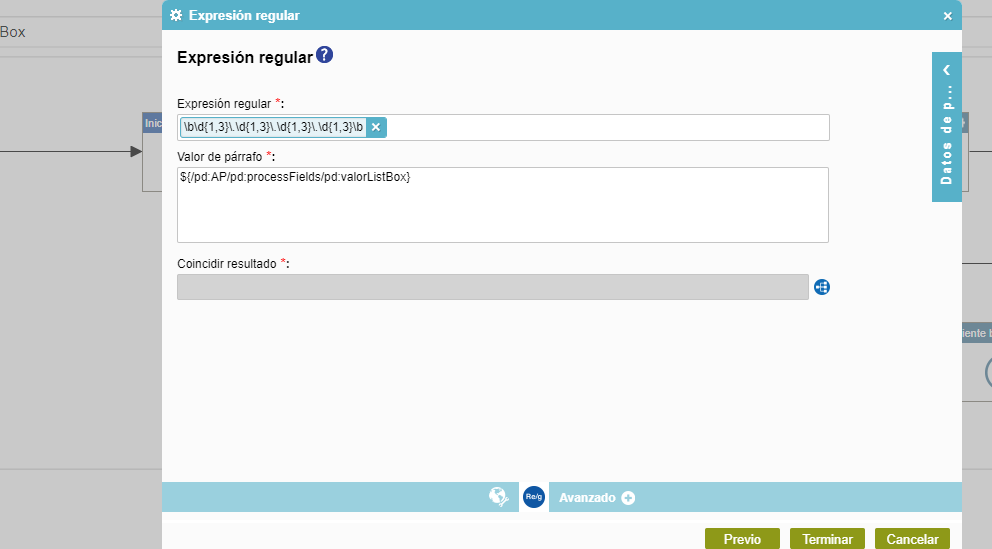
I have tried something with regex but I always get the first item in the list.
Thanks!
Dani
-

Hi Dani,
Yes, it is possible using getBoundData helper method.
getBoundData helper method gives the items in an array which can then be looped.If updating form data is your goal, use getBoundData helper method either in Before Submit rule.or onBeforeSubmit event.
If not, make use of it either in after submit rule or onSubmit event.References:
-
I also had similar use case and I found a way to achieve by mapping the multi-select list box values to a hidden repetitive control available in a form (Either a subform or data-grid). I used a subform control.
Please follow the below steps:
1. Drag and drop a subform in form designer area, make it repeatable.
2. Drag and drop textbox control inside the subform.
3. Add the below javascript in JS injector/window.
4. Execute copyItemsToSubform function in before submit rule in Rule builder.[Note] : Rename the fieldId values accordingly.
function copyItemsToSubform() {
  //MultiSelectListBox1 is the internal name of the multi-select list box control
  eFormHelper.getBoundData({ fieldId: 'MultiSelectListBox1' }, function (result) {
    if (result.isSuccess) {
      var subformValues = [];
      //TextBox1 is the internal name of the child control in subform
      result.data.forEach((item) => {
        subformValues.push({ 'TextBox1': item.Value });
      });
      //HiddenSubForm1 is the internal name of the subform control
      eFormHelper.setFieldValue({ fieldId: 'HiddenSubForm1', value: subformValues }, function (res) {
        console.log(res);
      });
    }
  });
}

サインインしてコメントを残してください。
コメント
3件のコメント