Autolookup to SQL Database with mutiple filter conditions
Hi, I'm having an issue with my form using an autolookup (using NX 6.0 SP1 SU2 Hotfix 6).
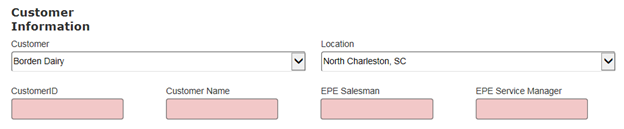
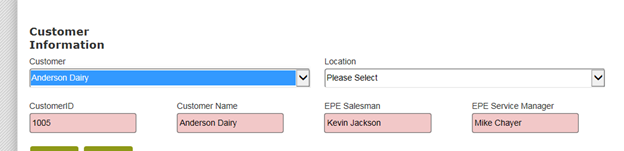
Goal: Here’s what my form looks like (the pink fields will be hidden). The user chooses Customer first, then the applicable Locations populate the Location drop down (cascading lookup) and then the user can pick the location. At this point, based on Customer and Location, an autolookup should work to fill in the pink fields.
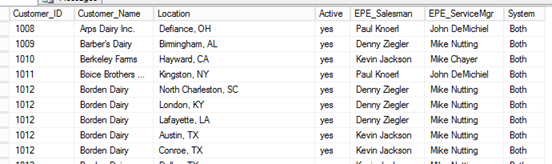
Here’s my table in SQL
- There may only be 1 instance of a customer or multiples (like Borden Dairy). So, it’s a combination key of customer/location that gets the Salesman and Service Mgr.
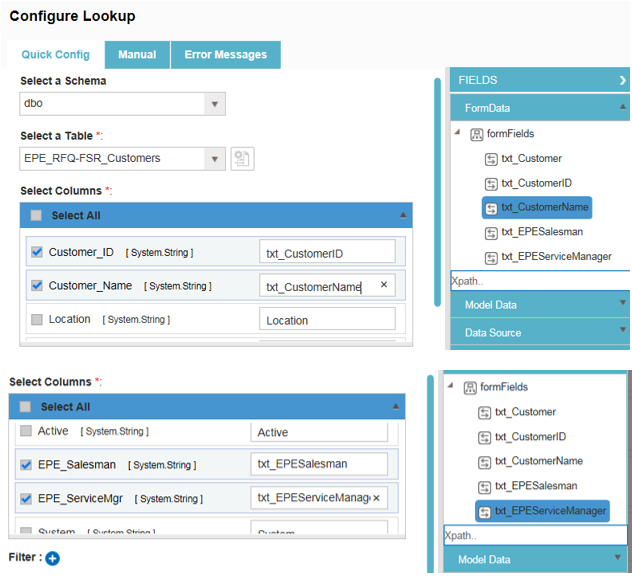
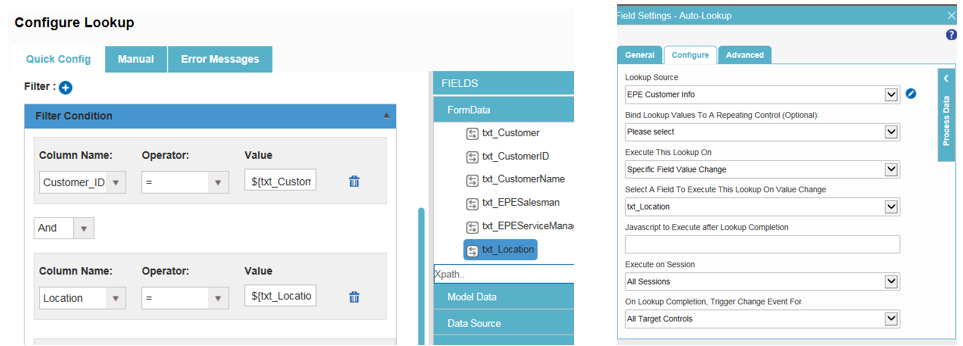
Here is my autolookup:
- I’m hooked to my SQL database, and have the 4 fields mapped to the applicable FormData fields.
- For the filter, first I just hooked it to Customer (to test and be more simple at first)…and have it set to execute when Customer changes.
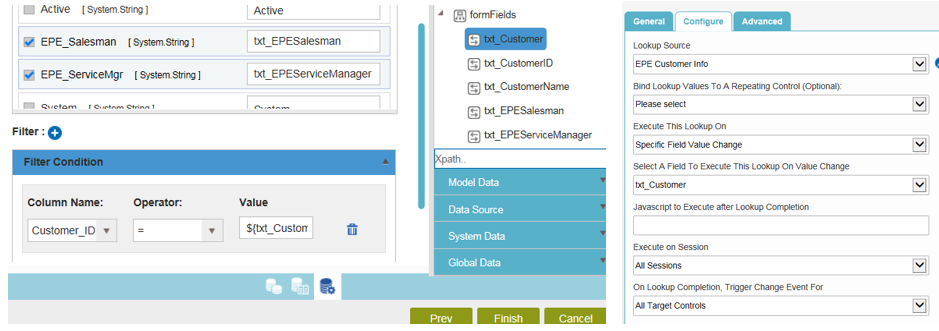
- This worked, it just pops in the first match for that customer.
- So then I add the Location part to the auto lookup, and have it execute on change of location (the user has to pick the customer before location is enabled… so location would be the last field to change before this should run).
- Nothing populates
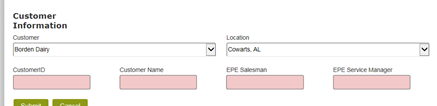
I have seen it populate one time. I have a customer that is "Not in the list". If the user chooses it, I have rules that automatically set the Location value and then disable it (the Location dropdown).
Thanks!
-

If only Location doesn't work, then the problem is there. Perhaps comma indeed makes problems. Can you try to make this lookup with SQL formula? Just to be sure, that it works with location? Alternatively with JavaScript make the call with only Customer ID as filter and look in the location column to know, what exactly coming in?
Regards,
Alexey
-

I had tried to do a SQL statement before and it didn't help any.
I just removed the commas from all of one customer's locations in the data and it worked. So commas in the data are the issue. It doesn't look awful, not having commas. But do you know any fix to get around it if my business owner has to have commas? I guess I could add an ID field to the locations and use it with "City, State" being only for display purposes.
サインインしてコメントを残してください。
コメント
6件のコメント