Change Task Form Internal Name in duplicated app
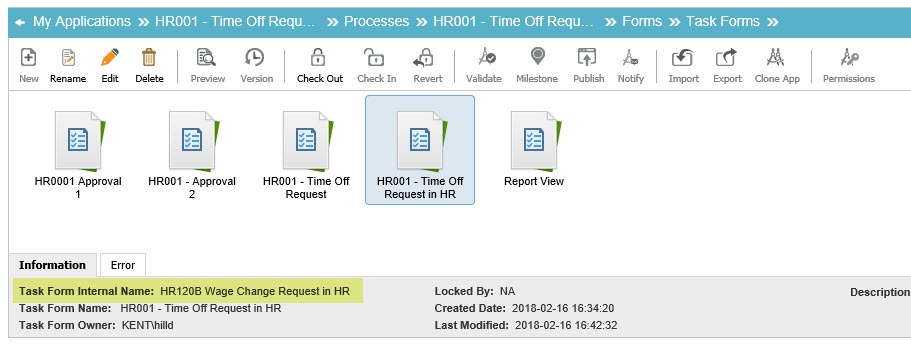
I duplicated an app and went through changing the form names but I can't find where to change the Task Form Internal Name. This becomes important when you use the Save As PDF feature because that's what is picked up as the default file name. Alternatively, is there a way to change the default Save As PDF file name? Ideally, I'd like it to be the Process Instance Name.
-

David,
You are correct that the application uses the internal name rather than the display name. This is shown in the message when you try to rename a form.
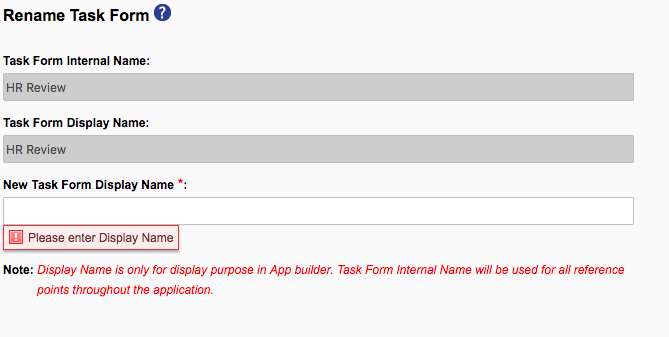
Two other things need to be mention.
- This is not just for form or just for just for cloned applications. You cannot change the internal name of form names of control names after they have been saved. This is integral to how AgilePoint can allow you to change the names you see without damaging your process.
- In my testing, the name on the PDF is the Display Name.
What am I missing?
-

Ron, thanks for getting back to me.
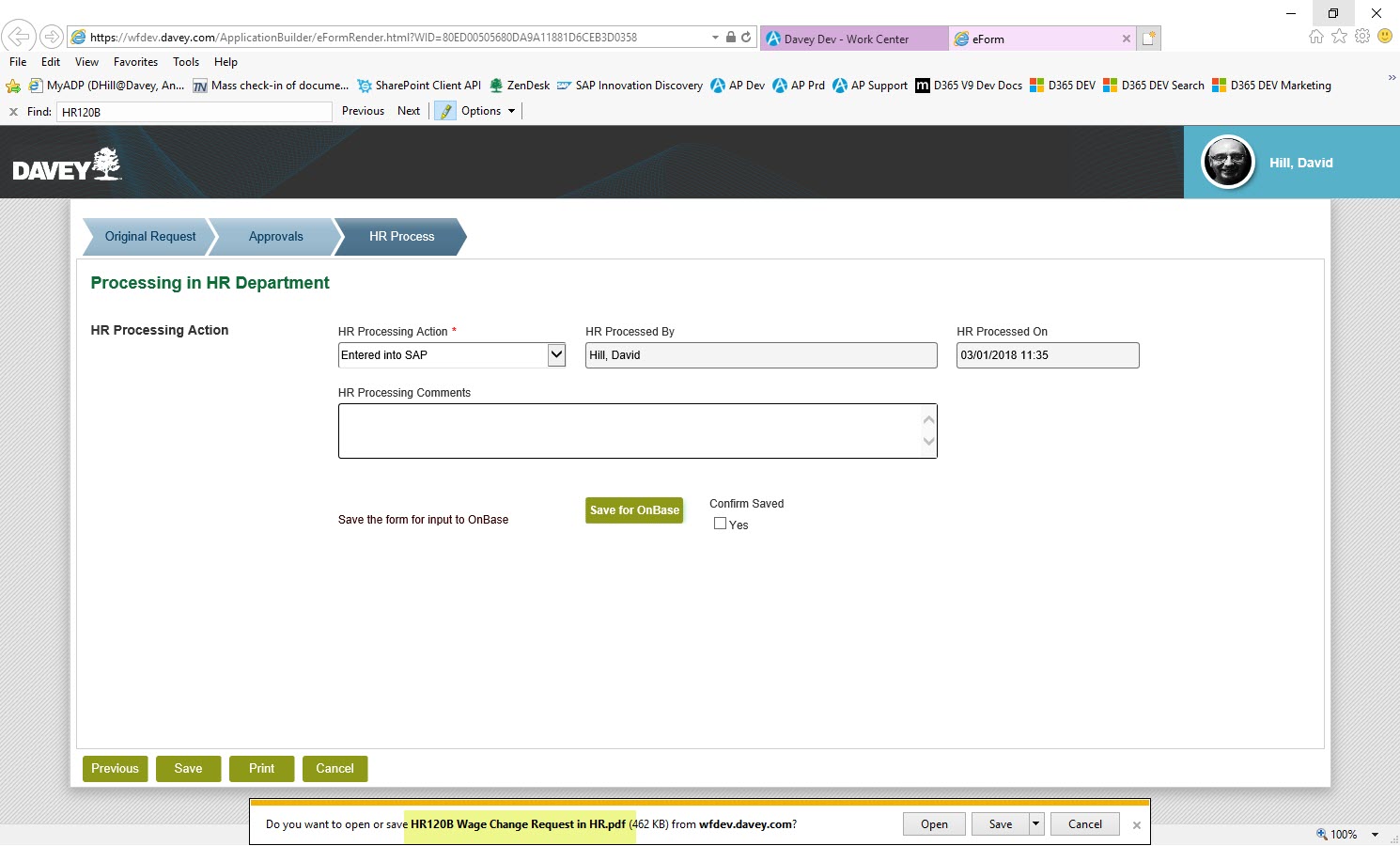
When I click Save As PDF on this form (A button I added named Save for OnBase, which executes a Save as PDF function), it gives me the internal name as the default, not the display name. Compare to the screenshot of the Task Form, above. I get these results in both IE and Chrome. I'm on NX 6.0 SP1 SU2 Hotfix 3 if that makes any difference.
サインインしてコメントを残してください。
コメント
2件のコメント