Hidden controls keep their values when hidden, rules not reversing
We have several rule sets in a layered fashion, shown in the screenshot. The options in the Request Category dropdown will determine which of the three dropdowns below it will be displayed. Request category options affect the controls along the red arrows. The controls connected by blue arrows are affected by the User Access and Setup control.
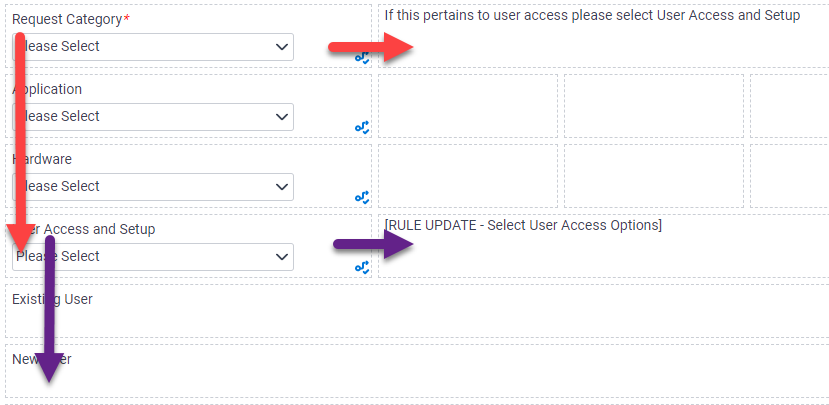
The issue I am experiencing is that controls that were once shown will keep their values when hidden. If I pick an option in the Application dropdown, that value remains even when I change the Request Category to Hardware or User Access and Setup. I have "Please Select" set as a default on the controls, and setting the to "Please Select" in the ruleset does not seem to work. The rules that were triggered after the Request Category is selected all remain unless I reverse each selection as I work back to the Request Category.
Has anyone figured out a way to make these subsequent rules reverse themselves when a preceding rule changes?
Thanks!
-

Of course, here are the rules on Request Category:

Say "User Access and Setup" was selected, and I chose "New User" in the control that became shown. Here are rules attached to that dropdown:
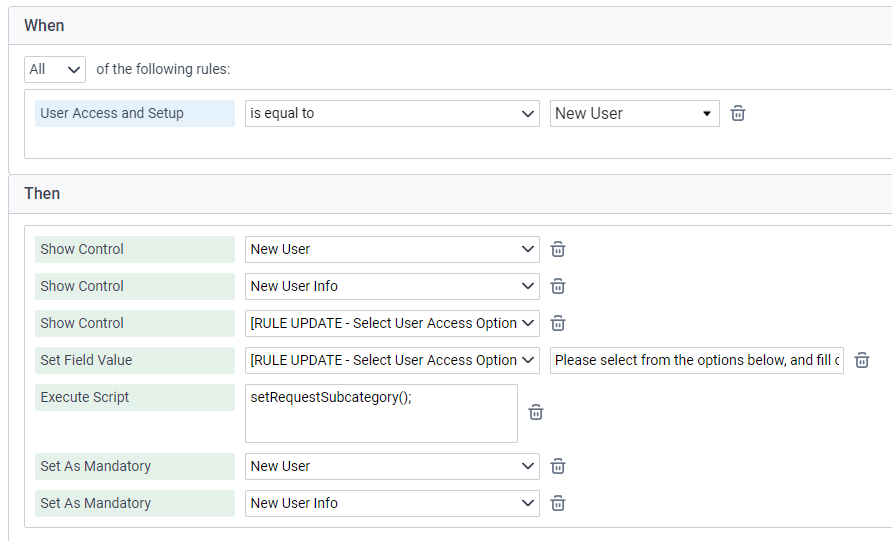
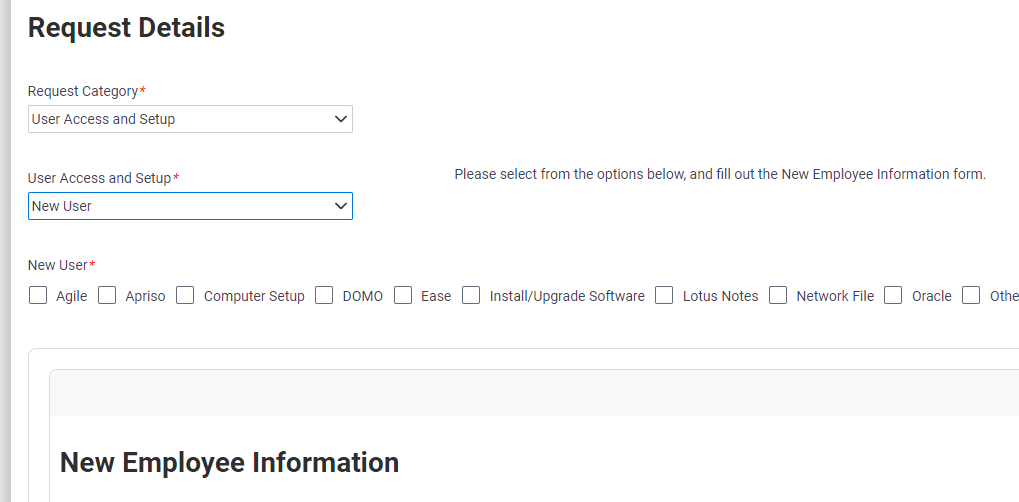
The controls that are supposed to become shown do so:
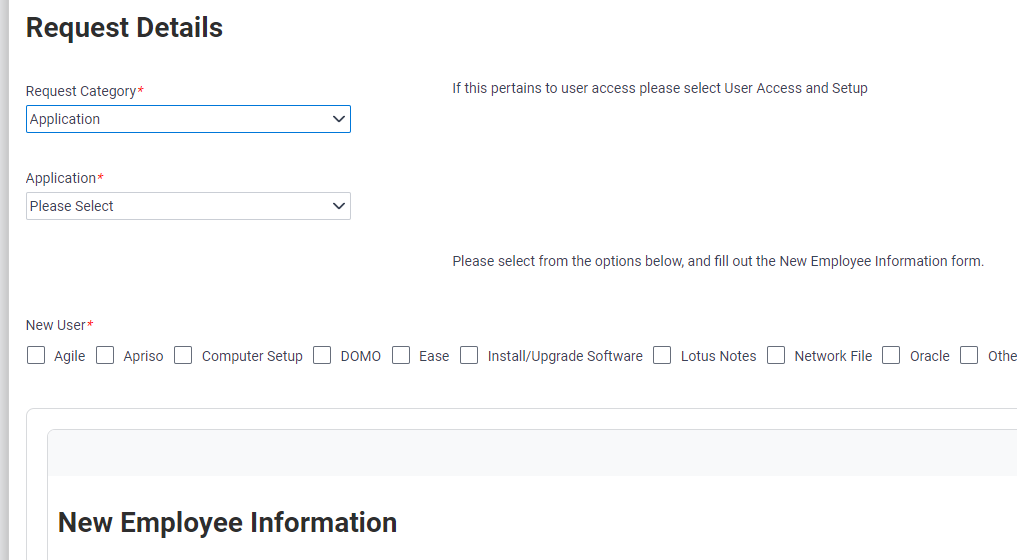
Selecting a different Request Category does not seem to trigger the second set of rules, even though the value it contains does evaluate to "Please Select" as the first ruleset specified:
Thanks for looking at this! If you have any idea, please let me know.

Please sign in to leave a comment.
Comments
2 comments