Multiple Outcomes from Task Form
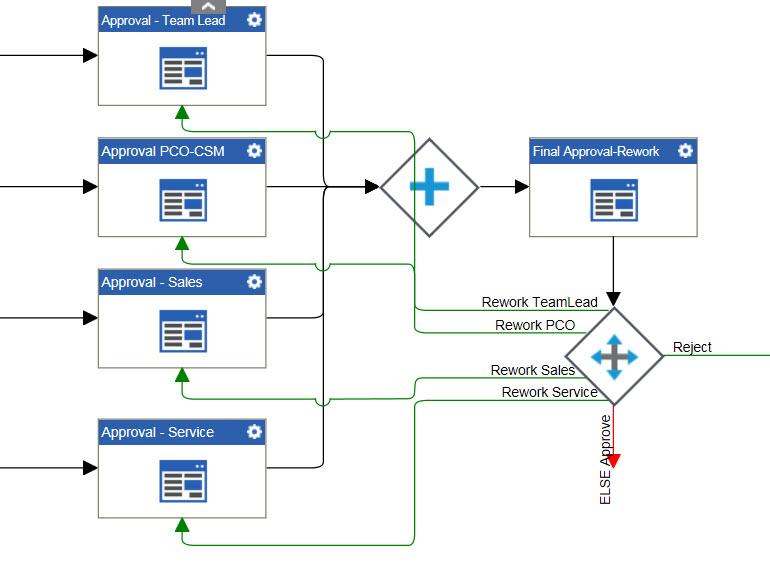
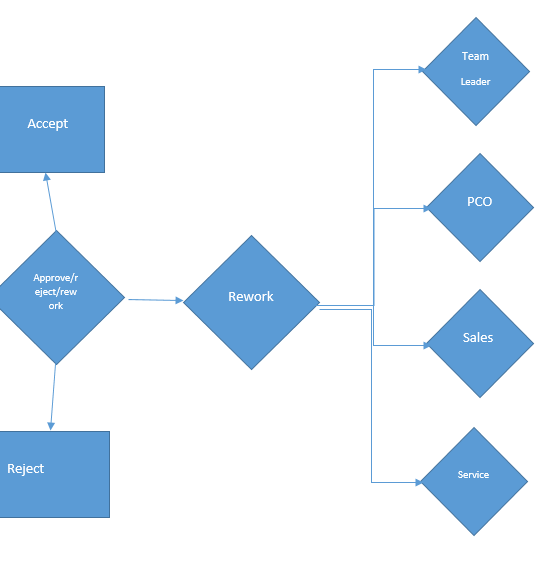
I have a task form "Final Approval-Rework" that could have multiple outcomes (Approve, Reject, Rework (Rework can be one or more of different approvers - Team Lead, PCO, Sales, Service)). I'm trying to think through how I can have the workflow kick off if there are multiple outcomes. Basically for "Rework", I want to send back the process to the previous approval, but not all 4 necessarily (I can easily do that). The user needs to be able to pick 1-4 of the approvers (i.e. Rework Sales and Rework PCO).
It looks like Conditions will only allow one outcome. I tried to string together conditions, but still only one outcome allowed (if it matched, then it didn't also hit "else" to go to the next condition).
Basically this graphic is what I need, but I'm not sure what control will let me do this. Any help is greatly appreciated. Thanks! Gwen
-

Hi Wilson,
Since you are using nested condition for rework, you may need 2 conditions here.
The first Condition for the Approve, Reject and Rework.
In the second condition, you may put all your rework cases to redistribute tasks to the different forms, which will be next to the first condition and only activates when the Rework option will be selected from the form.
Thank you.
-

That would work if the user was choosing only one rework approver. But I need the user to be able to pick multiples.
So here is the rework condition (below), if the user selected Service and Sales, it will be a match for Service (it's the first) and that's it. It found it's match and won't try the others. Correct?
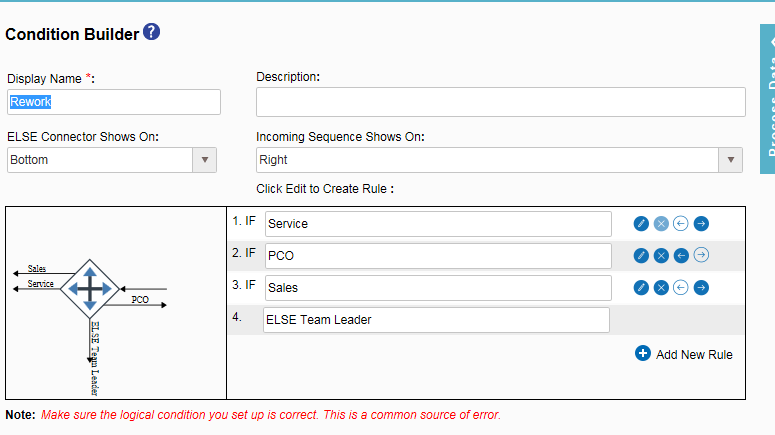
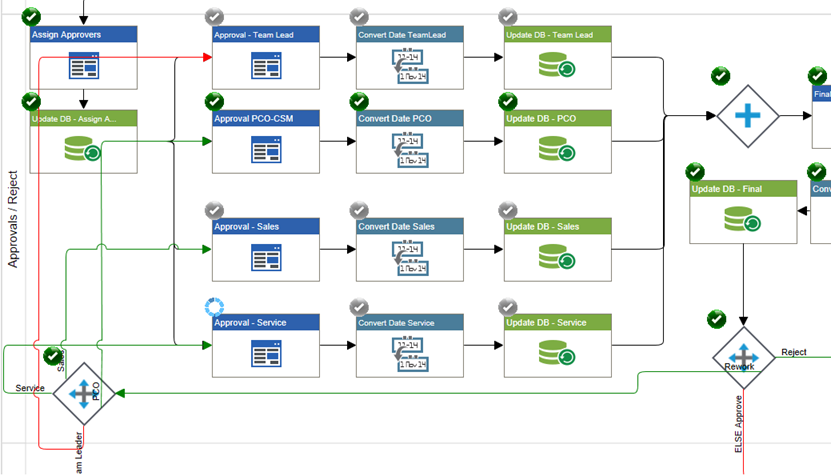
When I tried it, here is the process... it kicked off Service, but not Sales and Team Lead (I picked these 3, but not PCO). I'm not sure what the gray check marks mean. PCO is good (so green, and not picked again).
-

The grey check marks indicate that the process previously went through those tasks. To accomplish what you are trying to do, I think you would need to add a condition in front of each approval task like this:
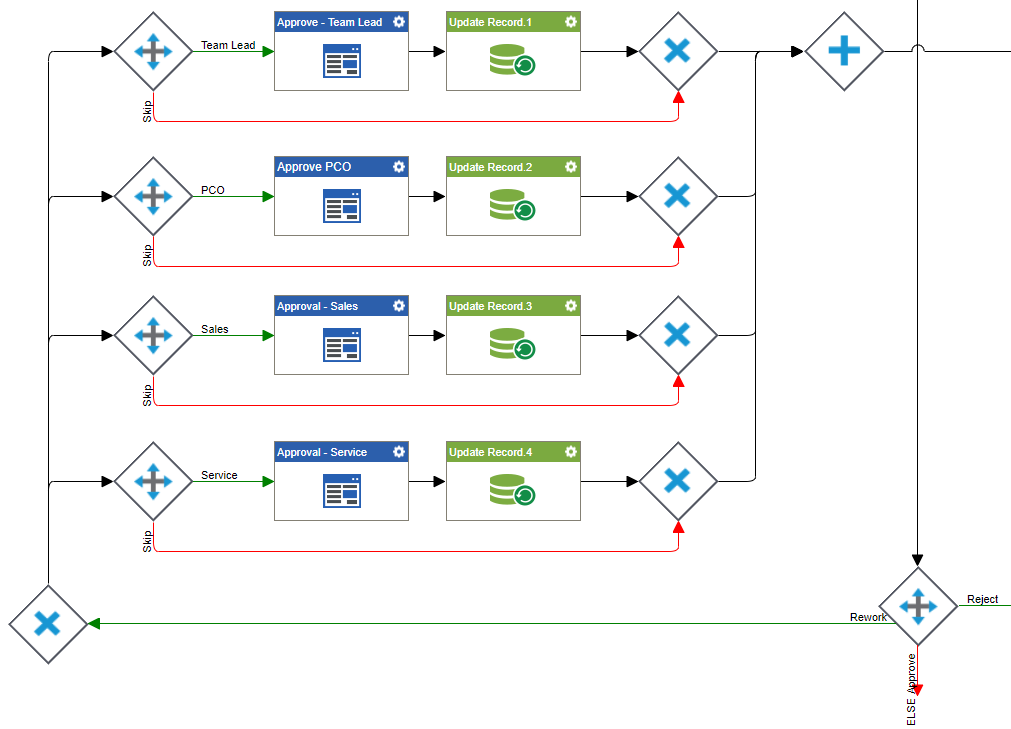
You can use the OR shape on your "Rework" path to split the process into four paths. Then each of those paths has a condition check to determine if that rework approver was chosen. If it was not chosen, you just skip these steps in that rework path.
Please sign in to leave a comment.
Comments
6 comments