Trying to Approve Sharepoint doc using the Agilepoint Approve/Reject Content

Anyone know why I would get a "paused" activity on this?

-

Hi Paul,
Could you please open Data tab of the suspended instance and search for "Error" in Process Variable tab, there you would able to get to know the reason for suspension.
https://documentation.agilepoint.com/10/admin/cloudemDataTabProcessVariable.html
Thanks
Suhail (AgilePoint NX Support)
-

Hi Paul,
please go to the process modell and click on the "reject content" activity. After that on the top of the screen click on Agile Properties:
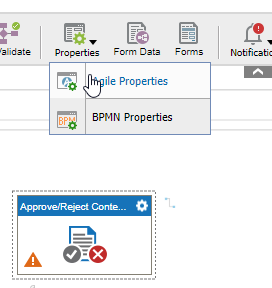
After that on the right change the variable name of the errormessage:
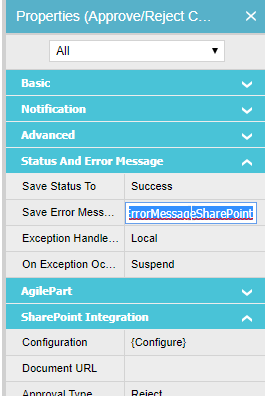 :
:Then restart the process and in management in data tab on process variable part you should find the new ErrorMessageSharePoint variable. There should be the error message.

Feel free to ask further questions.
Regards,
Alexey
-

Hi Paul,
I had the same issue. I now work with the internal fields of the document to acive this. At the beginning of the workflow I change the value from DRAFT to PENDING with the "Update Metadata" Activity and after the workfow to "Approved" "Denied" depending on the result of the review.Here are the Values for the status: https://docs.microsoft.com/en-us/dotnet/api/microsoft.sharepoint.spmoderationstatustype?view=sharepoint-server.
So on this screenshot I set the status to Denied.
Regards,
Tobias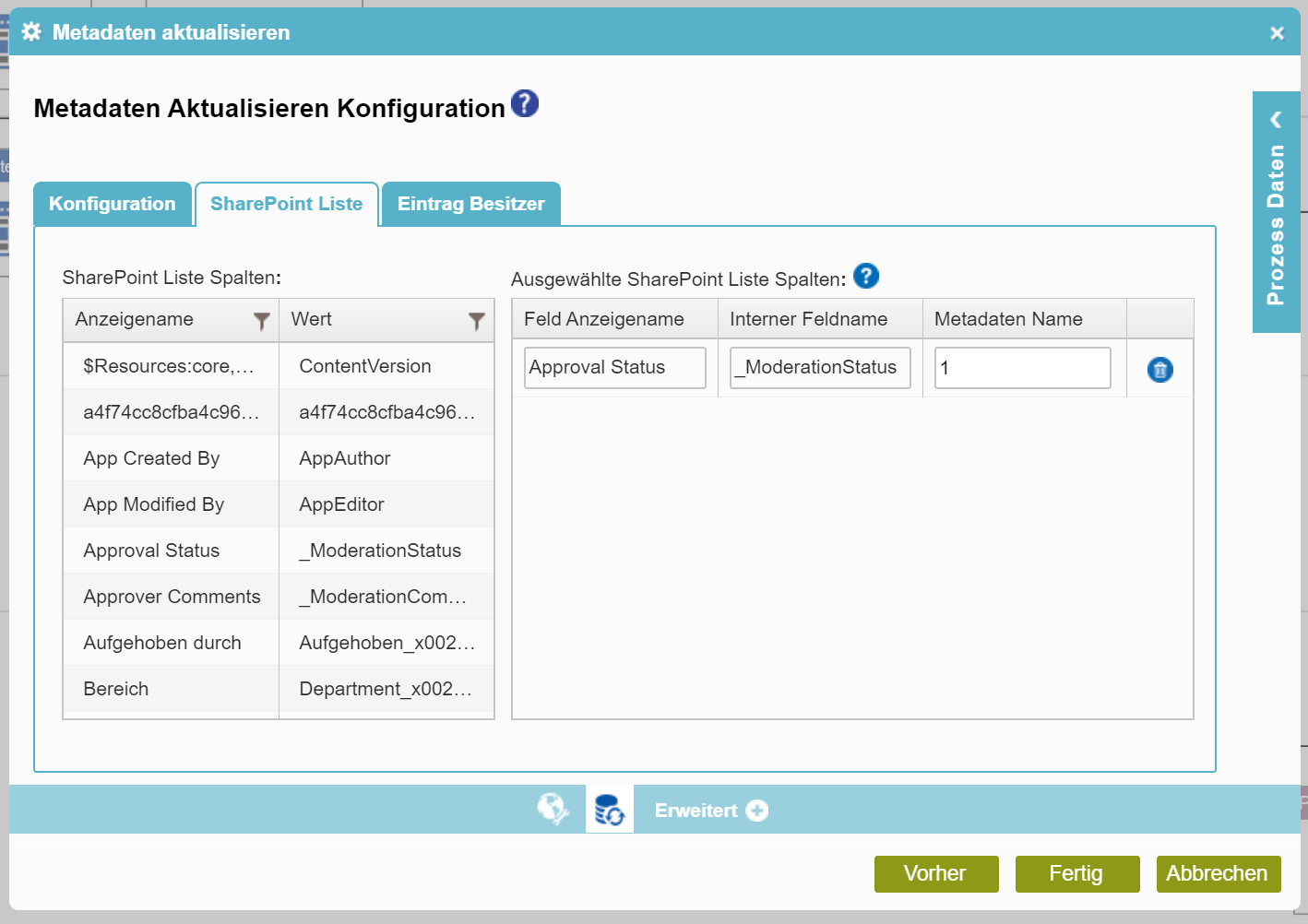
Please sign in to leave a comment.
Comments
7 comments