File Upload

I'm using Data mapping to link a file upload on an Eform to a SharePoint list but the list item for that upload returns empty. Everything else maps correctly except the upload file. Any help with this issue?
-

Hello David,
AgilePoint does not support uploading files during data mapping. However, there's a workaround to achieve this functionality. The FileUpload control in eForms allows for uploading directly to a SharePoint List item. You can refer to the screenshot below for clarification.
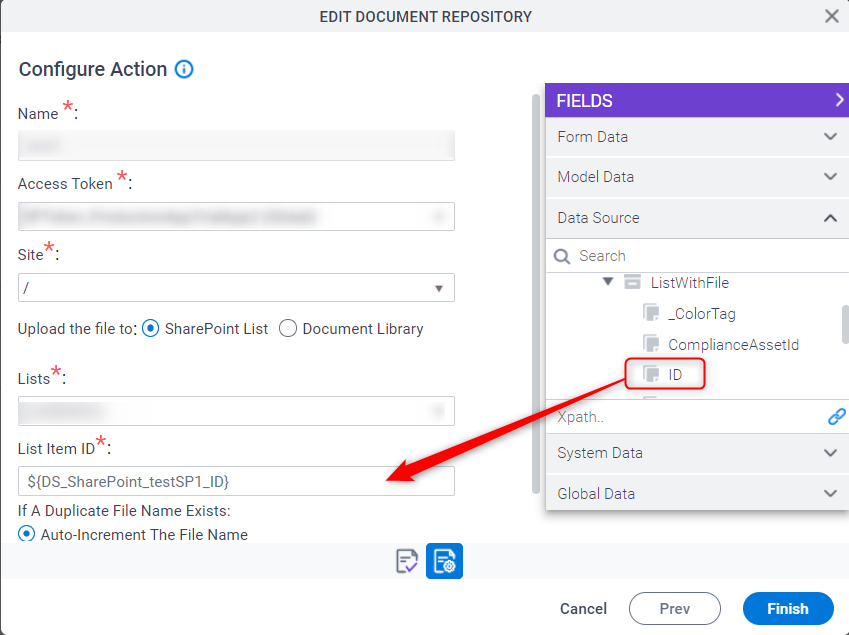
It's important to note that the list item should be created first. Once the form is submitted, along with the connected data source fields data, the ListItemId (ID) will also be generated. This ListItemId (ID) can then be used to associate the uploaded file with a specific list item.
Thank you
Please sign in to leave a comment.
Comments
1 comment