List Box

Hi,
I have a problem with a List Box.
The entries in the List Box come from a SharePoint lookup.
When I select for e.g. Software1 and Software 2 (Screen) in the first form and send this form, the selected data was stored in the List Box variable.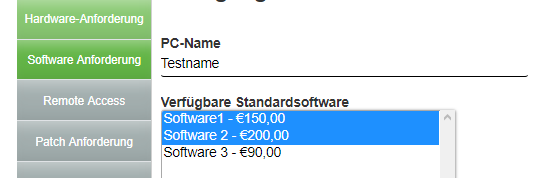
At the next workflow-step, other form with the same control (chose from the library) nothing is selected. (Data Security Settings is on persist)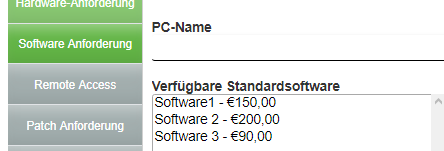
I thougt that worked in older versions of AgilePoint?
Is there a way to show the selected entries in this List Box in other forms?
If not i have to look for a workaround...
-

Lookups are one of the more annoying controls to get right. Because of the timing between the lookup response and the AgilePoint data population, I often run into race conditions and fail to populate data just like you did here. The more cascaded fields you have, the greater the chance of failure.
The workaround I always use is a text box or text area that copies the data.
On the initial form:
1) Hide the Text Area
2) Have the List Box dump data into a Text Area, usually by means of a RuleOn subsequent loads:
1) Hide the List BoxThis solution only works if the List Box is Read-Only after the first form. If you need other users to edit the same field, then the only solution I've been able to guarantee success with is JavaScript. Fire the data population callback once the lookup completes, and the race condition never occurs.
Hopefully someone else has solved this issue and can teach us the right way to handle it.
請登入寫評論。
評論
2 條評論