Enable Logs in v7.0 SU2

Hi,
One fix in v7 SU2 is that logs option is showed in OnPremesis
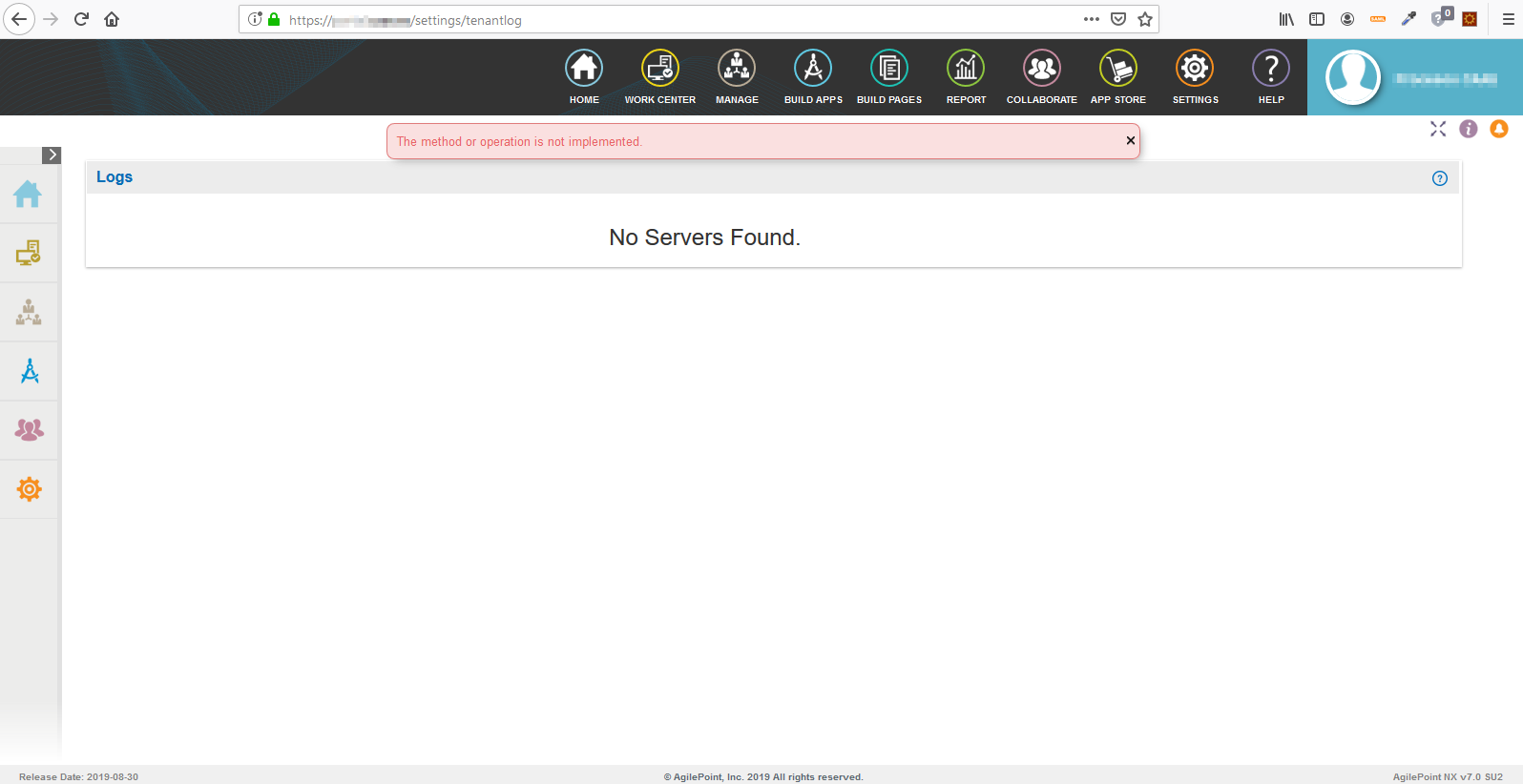
12.0309.13: In Portal Settings, the Logs option is showing for AgilePoint NX OnPremesis.
We have added the key in web.config (settings:ShowLogFile as true) as is especified in documentation (https://documentation.agilepoint.com/10/troubleshooting/troubleshootingShowHideLogsOptionInSettingModule.html) and restarted the server, by the logs don't showed.
is there any other step that we must to do?
Thanks
-

Hi Jordi,
Could you please try restarting the IIS and reload the portal settings webpage.
To open IIS perform the following steps:
1) CTRL+R (To open Run command window)
2) Type inetmgr and hit on Enter
3) Now expand localhost site-->Sites
4) Select AgilePoint Site and click on Restart
Thanks
Suhail
-
Hi Jordi,
I apologize for the confusion created here. It was actually an issue fix of displaying logs for on-premises which was fixed in SU2.
Actually, Logs will be enabled and displayed in portal settings only for the cloud environment and not for On-Premises environment.
We will be updating the documentation page accordingly.
Thanks
サインインしてコメントを残してください。
コメント
3件のコメント