Date/Time and MS Word activity

Hi. I have an issue with dates/times and the way they appear when using a Microsoft Word activity. I have a Date control (dtOriginationDate) on my Mileage Request form configured to display the ${CurrentDate} System Data as May 3 2019.

We are saving the processed form as a PDF to SharePoint using a Microsoft Word activity.
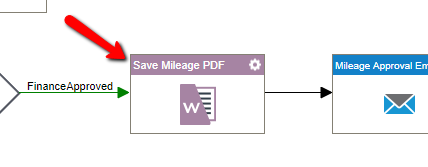
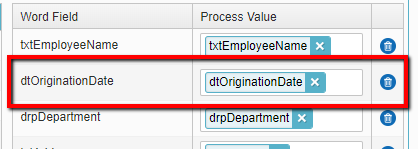
The Word field is mapped to the dtOriginationDate form field.
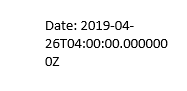
However, when the data is written to the PDF it’s configured as datetime.
I found a post from 4 months ago asking about this issue, Formatting Dates in a Data Grid. The moderator passed the issue on to the dev team. The workaround was to use CONVERT in the lookup query. But is there a way to alter the format when writing to a Word doc?
One other consideration is that we are using NX 6.0 SP1 SU2 Hotfix 4. Has this issue been corrected on NX 7?
Thanks…..
-

I change the format in the mergefield in the Template document. Press Shift-F9 to edit the field.
Change the \* Mergeformat to \@ "MM\dd\yyyy" then right click and select Update Field.
Similarly you can format the numbers with \# $,##0.00
If you search for Mail Merge field codes you can find a lot of variants.
サインインしてコメントを残してください。
コメント
2件のコメント