Voting / Advanced Task

I'm trying to get voting working properly and am failing miserably. How does one get values from the eform (participant responses) to the repeatable element for voting such that I can then make conditional routing happen (if everyone approves, do X, if not, do Y).
More detail: my eForm has a radio button with two options, one is affirmative, the other is not, I want the results of that radio button put into the repeatable process variable that I configured on the voting screen, but I cant for the life of me find any method to accomplish that.
Thanks for any help you can provide.
-

Hi David,
The Voting process activity works using form data, and not process data. Please refer to the steps below as to how to configure it. The final voting decision is stored in a form variable per the voting configuration. Please follow the below steps.
1. Create a process as shown below.

2. Add a subform and a text field, and set it to the submit form.
 3. For the review form, using the advanced shape, add a new form, but use the existing controls. Make every field 'read only' aside from the Approve Yes/No control.
4. Configure Voting as shown below
A. I have set it to sequential, but set your value as required. The participant is shown as Process Initiator, but your participants will be used from the subform approver names.
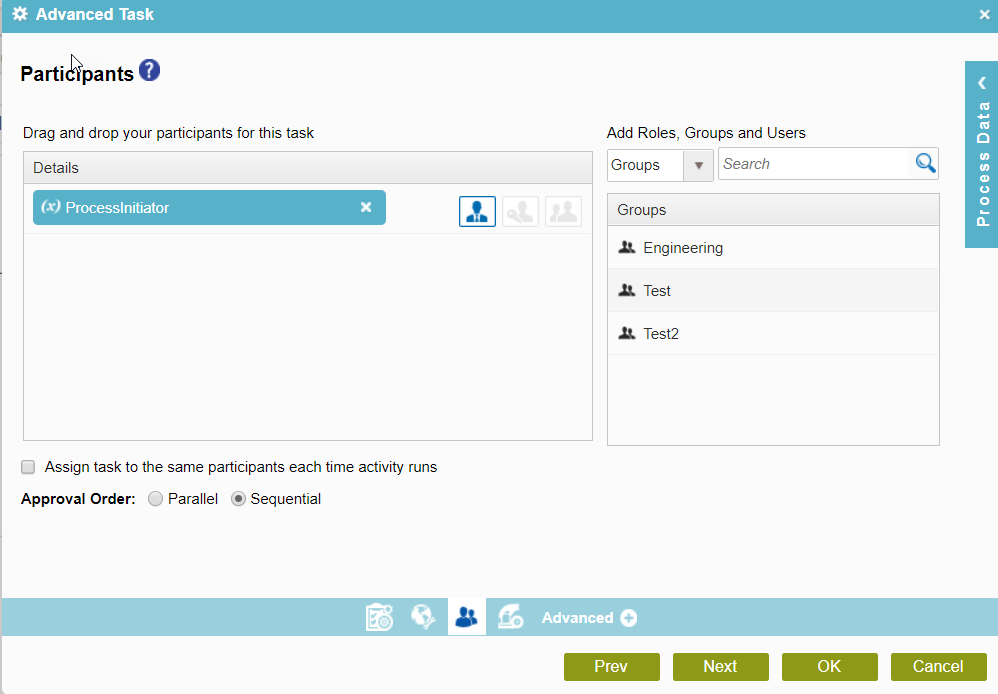
B. Drag and drop the subform control as shown below. Set the approval percentage per your requirement.

C. To check the condition of the final approval decision, add the condition shape as shown below.

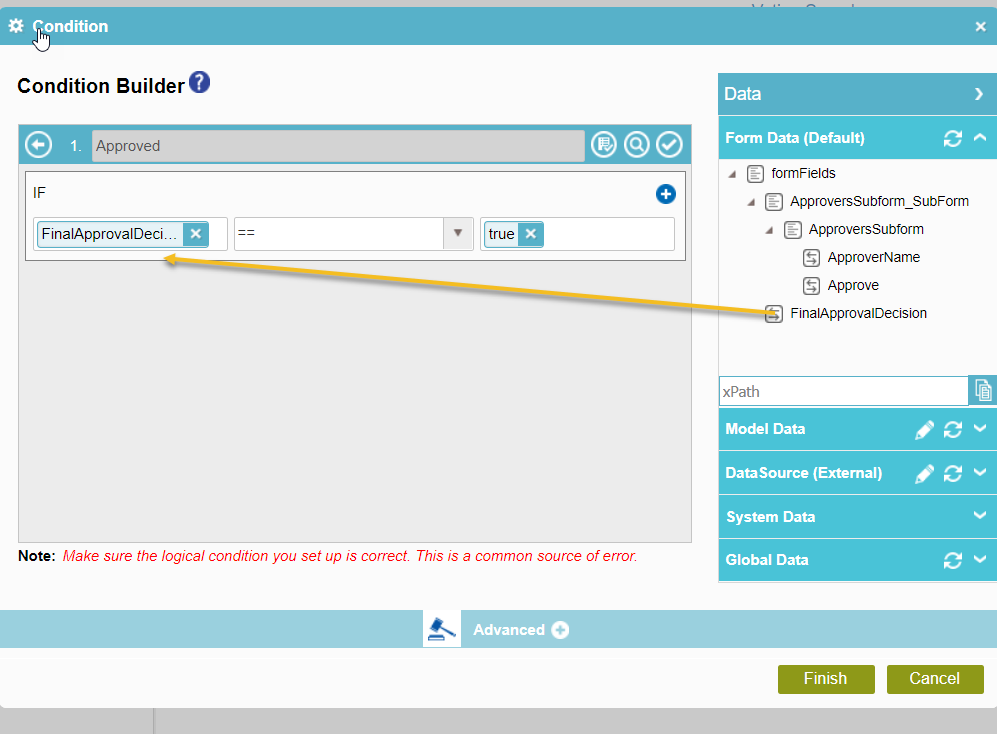
Now, let's see how it looks in Runtime.
A. On the submit form, add users as shown below.
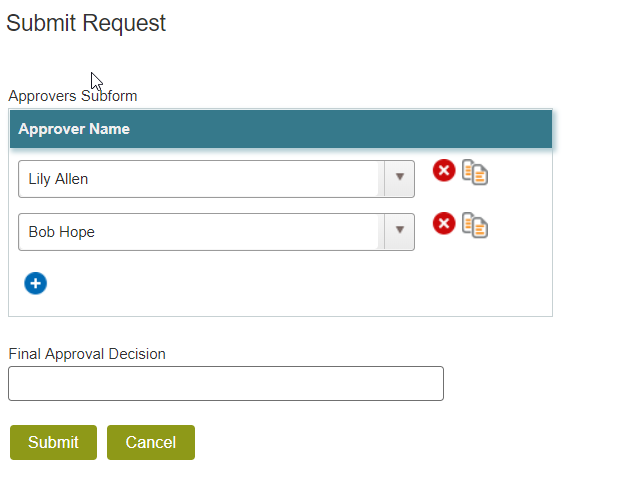 B. Review and Approve as Lily Allen and Bob Hope. The end result will be an approval path as shown below. If either reject, we will take the Rejected path.
 and
and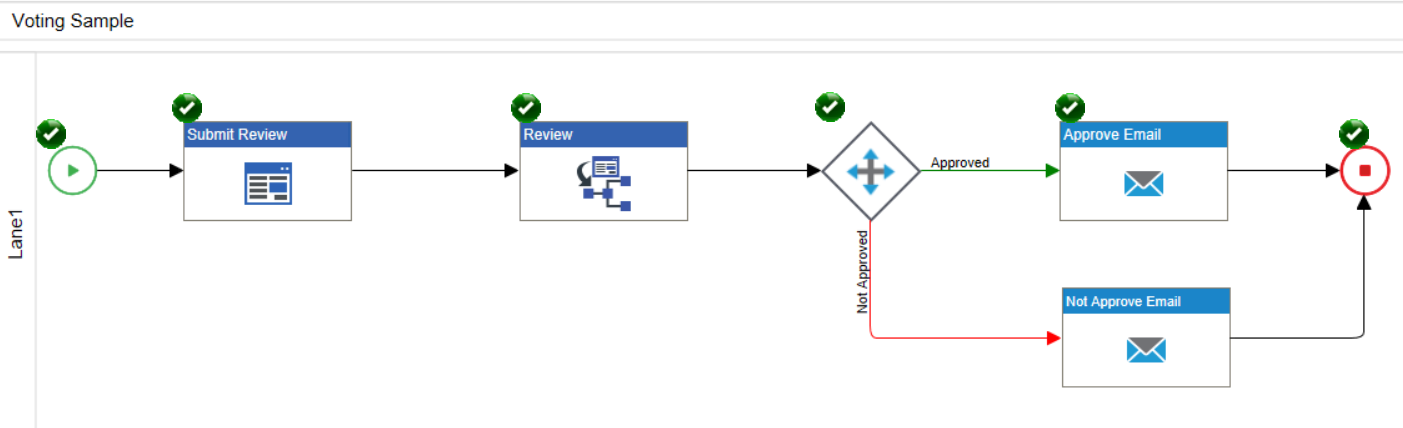 Hope this is helpful.
Lucas
サインインしてコメントを残してください。
コメント
1件のコメント