eForm Event "subForm.onAddRecord"

I am trying to make use of the eForm event "subForm.onAddRecord" in my form's JavaScript. Here is the AgilePoint documentation on this:
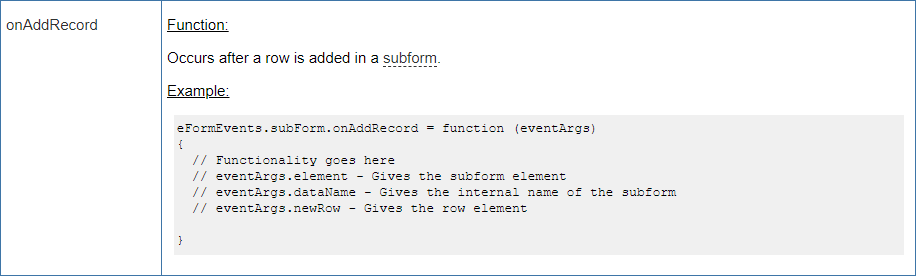
I am trying to figure out how to access the eventArgs so that I can utilize them in JavaScript. For initial testing I created the following JavaScript function with alerts so that I could see the eventArgs values:
eFormEvents.subForm.onAddRecord = function (eventArgs)
{
alert("dataName: " + eventArgs.dataName);
alert("element: " + eventArgs.element);
alert("newRow: " + eventArgs.newRow);
}
Upon testing, when I add a new row to the SubForm, I see the following:
The First alert does correctly show the name of the SubForm in the dataName argument: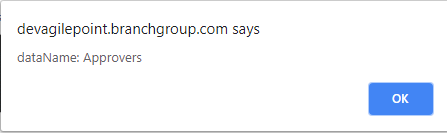
But the second and third alerts (for "element" and "newRow") only show Object references:
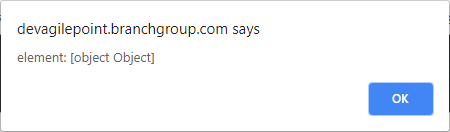
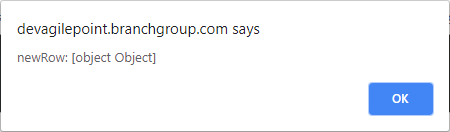
Am I missing something here? What should the "element" and "newRow" arguments have in them? At the very least, I was hoping that I would get the row number or index of the new row that was added to the SubForm in the "newRow" argument but I don't understand how to get the value.
-

In JavaScript, this means that each of the properties eventArgs.element and eventArgs.newRow are further nested objects that have more properties within them. I recommend avoiding the alert() function when debugging because it doesn't allow you to step through the code and find what you need very efficiently; instead, start off with a debugger statement and use your browser's inspector (usually F12 or Ctrl+Shift+i) to step through the code and access nested object properties:
eFormEvents.subForm.onAddRecord = function (eventArgs)
{
debugger;
//more code here
}Since this is more of a JavaScript question and not so much an AgilePoint question, I'm not sure how much more support you can get for learning how to debug JavaScript on these forums. Here's a video tutorial that may help you start:
Please sign in to leave a comment.
Comments
1 comment