Change "Actions" behavior from a List View

Hello,
Is there any way to change the behavior of the "View" actions in a List View:
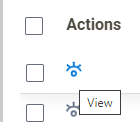
Instead of opening an eForm (Update form in this case), I would like to open a Report View form, for example.
If it is not possible, what would be the best practice to list all items submitted from a Process App? Unfortunately, we can't use List View control in a Process App which would make our life easier.
-

Hello Oliveira,
On click of the View icon, as an AgilePoint OOTB feature or a default behavior, it would redirect the user to an Update Form where the controls on the form are disabled. This Update Form is more or less similar to Report View except that there are “Edit” and “Back” buttons for the user to perform the next actions.
To answer your question, it is possible to hide the action buttons from the "Update Form" based on the requirement. Kindly use the below CSS in the "Update Form" of the Form Based Application to hide the Edit button.
.popActionButtons[value="Edit"]{display: none;
}
Thanks
Please sign in to leave a comment.
Comments
1 comment